Try the PrecisionOS Mobile App for FREE.  Jetzt downloaden

Train Faster, Train Smarter.

Train With Precision

Win Their Trust In The OR

With Faster, Personalized Training Experiences.

PrecisionOS is a data-driven VR and mobile training platform designed to quickly build your skills just in time for the OR.

Tools for your success

Show Up With Confidence.

Hands-on practice that videos and textbooks can not provide.
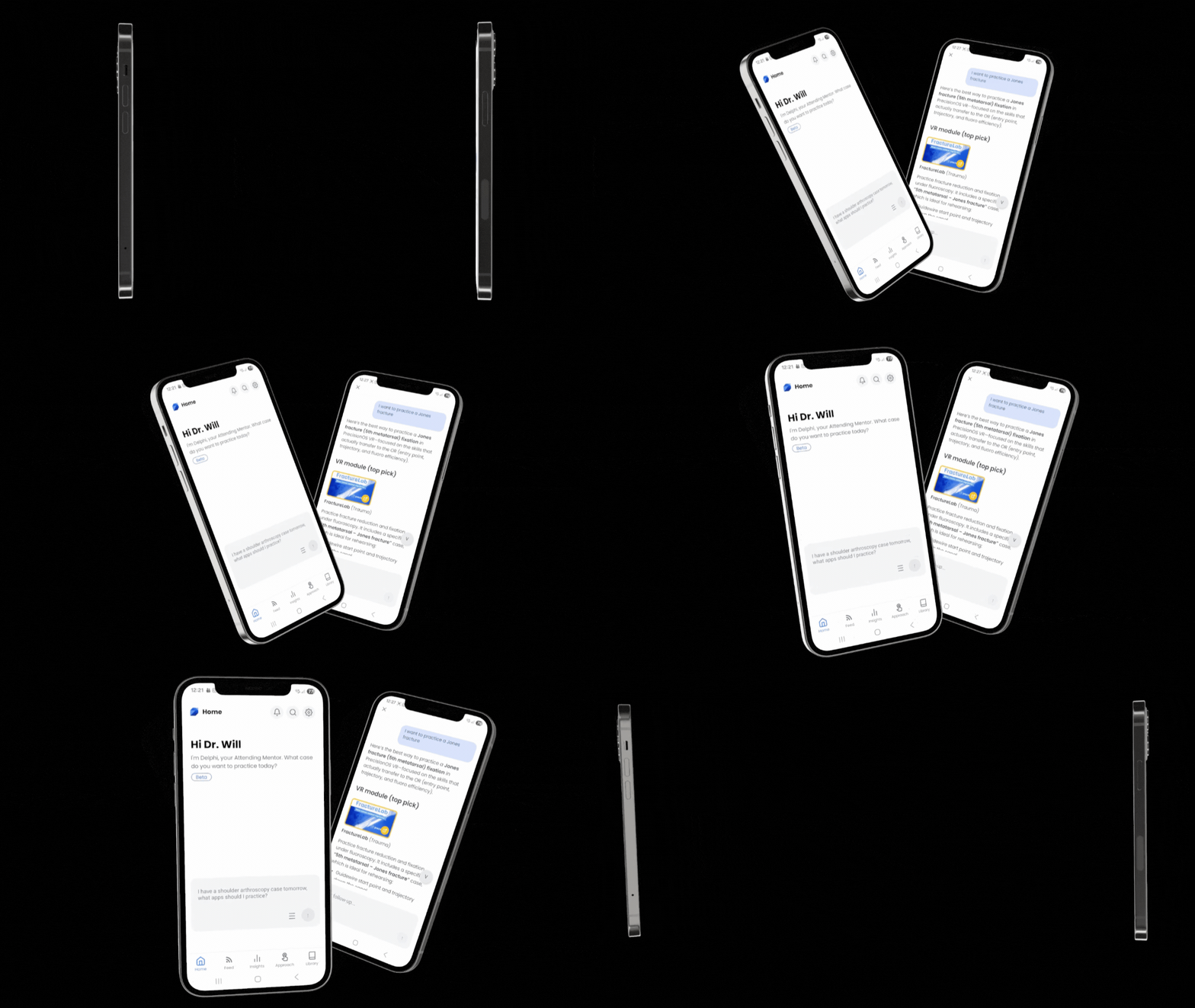
Select Your Case, Start Practicing Now.

Delphi directs you to high impact training opportunities relevant to your rotation and training level either in VR or on video.

*Delphi is currently in Beta, and available in the PrecisionOS mobile app and BodyWorks.
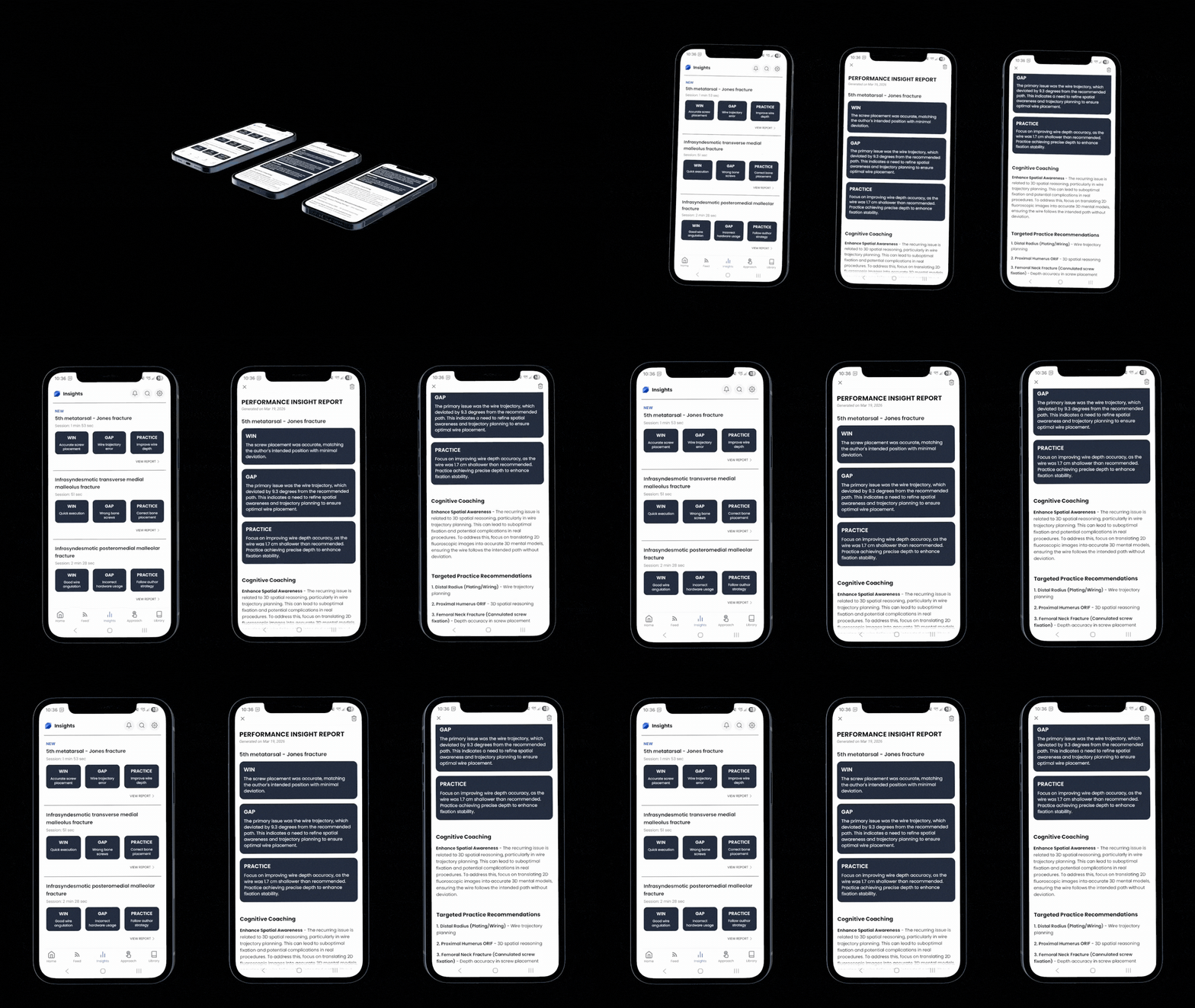
Correct Mistakes In Advance.

With high-fidelity practice and personalized feedback before you step into the OR.
More Than Just The Steps.

Our digital cadaver lab gives you the reps to practice where your hands need to go.

Subscription Details

Start A Five Day Free Trial Now

No credit card required.

*Headset not included
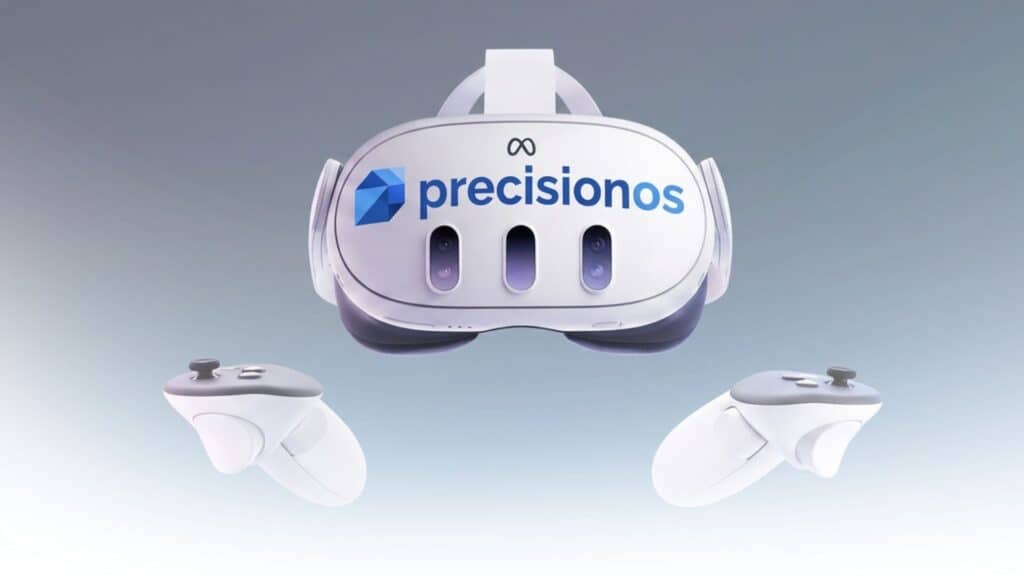
PrecisionOS virtual reality headset with controllers for dental training and simulation.

Individuals

$99/month or $999/annually

Save 16% Annually

With the Individual subscription you get access to:

Individual user FAQ

Common Questions About The PrecisionOS Ecosystem.

Clear answers on how our platform supports your path to technical fluency.

Is there a step-by-step "Quick Start" guide for residents?

Yes—The Onboarding Course is your fastest path to proficiency. It walks you through account syncing, procedure selection, and your first virtual rehearsal step-by-step, ensuring you are “OR Ready” before you even pick up the controllers.

Action: Follow the guided video path to standardize your learning experience.

Yes. PrecisionOS is compatible with Meta Quest 3, and 3s. If you already own a headset, you simply need to download the PrecisionOS Launcher from the App Store and sign in with your membership credentials.

Action: Download the launcher and log in.

Your membership allows you to log into the PrecisionOS Launcher on any compatible VR headset and the PrecisionOS Mobile App on your phone. However, you can only be active in one VR session at a time.

Action: Sign out of one headset before logging into another to avoid sync errors.

Your accounts must be identical to see your queued procedures. Ensure both the PrecisionOS Mobile App and the VR Launcher are signed in with the same email and password.

Action: Verify credentials on both devices.

This allows you to select a procedure on your phone and have it ready when you put on the headset. Browse the 27+ specialized apps, select your procedure, and tap “Add to Queue”.  When you put on your headset, you will see your queued app waiting for you with a “LAUNCH NOW” prompt.

Action: Add a procedure to the queue, then put on your headset to see your updated queue.

Yes — Create a Case in FracturLab lets you build custom surgical scenarios tailored to your training needs. You can select specific procedures, adjust variables, and design rehearsals that match the cases you want to practice.

Action: Follow the guide to start building your own scenarios.

Der My Progress Report gives you a comprehensive overview of your training performance. It tracks your completed cases, scores, and milestones so you can monitor your development over time.

Action: Follow the guide to understand your progress report and how to use it.

21 Months of Automated VR Data

MAJOR ACADEMIC ORTHOPAEDIC RESIDENCY PROGRAM

How self-directed VR practice fills the seams of the clinical day and produces measurable learning trajectories—completely automatically.

Executive Summary:

Over a 21-month period, 30 orthopaedic residents integrated immersive VR into their training curriculum. With a simple, weekly requirement for residents to practice in headset, the platform seamlessly captured over 88,000 structured data points across 2,566 practice sessions. The resulting data proved that when residents have access to high-fidelity, frictionless simulation and are motivated, they will hone their skills and demonstrate clear performance improvements.

Frictionless Adoption: Practice doesn't compete with clinical time. The data revealed that 45% of all sessions happened organically during lunch breaks or on weekends.

Comprehensive Coverage: Usage wasn't limited to a single subspecialty. Residents attempted 61 distinct cases across 27 procedure modules, proving active engagement from Foundations & Anatomy to Complex Trauma.

Measurable Improvement: The platform didn't just track usage; it tracked skill acquisition. Across 288 scored playthroughs, longitudinal data showed a clear performance signal, with residents demonstrating an average positive learning delta of +0.36 over time.

download from the app store

Own Your Progress.

Download the PrecisionOS mobile app to access Delphi’s insight reports and turn every VR session into a springboard for future success.

Step #1

State Your Intent

Tell Delphi, your AI Attending Mentor, what you are looking to practice.

Step #2

Get Practice Recommendations

Based on your request, Delphi will suggest personalized VR apps and Video training.

Step #3

Queue Apps In VR

Tap Add to Queue and the VR app will be waiting for you in headset.

Step #4

Learn From Experts

Access the video library for expert-led Virtual Grand Rounds and discover surgical pearls from industry leaders and device experts.

Step #4

Practice With A Plan

Go through the recommended VR apps to gain the skills and repetition needed for success. 

Step #5

Review Performance Insights

After your VR session, review your personalized performance insight on your phone to maximine your OR success. 

Smiling businessman in blue suit and tie against gray background.

Dr. Andrew Maeso

Orthopedic resident

From Uncertainty to Execution

“You already have a plan, now you’re just executing it.”

The Story: Bridging the "Intern Gap"

Dr. Andrew Maeso recognizes the steep reality of residency: “As an intern, you are thrown into the fire.” For him, the hurdle wasn’t just the surgery—it was the invisible mechanics (positioning, X-ray angles, and workflow) that move too fast to learn in a high-pressure OR.

The Solution: Access Over Policy

By bringing the PrecisionOS ecosystem home, Dr. Maeso replaced passive YouTube watching with active mental rehearsal. This allowed him to arrive in the OR with the “steps” already hard-coded into his muscle memory.

The Game Changer: Personal headsets issued for at-home, 24/7 training.

Clinical Focus: Mastery of Antegrade Femoral Nails and Shoulder Arthroscopy.

Program Growth: Experience led to secured funding for all incoming residents.

Smiling man wearing glasses and checkered shirt in an office setting.

Roberto Oliveira

Founder

Over his 25 years in the gaming industry, Roberto Oliveira has been known for bringing stunning realism and high fidelity to interactive experiences.

He combines an art director’s artistic vision with solid business leadership, including experience in building art teams, creative team management, project planning, project management and business development.

Over the years, his talents have been showcased in projects for major publishers including Sony, Activision, Disney and Electronic Arts.

Business professional wearing glasses and a suit in an office setting.

Dr. Ryan Lohre

MGH Staff Surgeon

From Resident to MGH Staff Surgeon

“Prepare like it matters. Because in the OR—it does.”

The Story: The Currency of Trust

Dr. Ryan Lohre’s trajectory changed during a complex pediatric case that had already seen two failed attempts by tenured surgeons. While textbooks offered the theory, Dr. Lohre used VR to master the 3D spatial intelligence required to build a mental model of the deformity and navigate C-arm imagery in real-time.

The Solution: The 18-Minute Sandbox

The night before surgery, Dr. Lohre rehearsed the procedure four times in VR from his own home. This high-fidelity rehearsal allowed him to arrive in the OR functioning at 80-90% proficiency, compared to the typical 10-20% for a resident facing a new, complex procedure.

The Game Changer: 18 minutes of at-home VR prep for a complex pediatric case.

Clinical Focus: Spatial intelligence for C-arm interpretation and screw trajectory.

Program Growth: Transitioned from trainee to Staff Surgeon at Mass General.

Dental professional in white coat with PrecisionOS logo.

Dr. Barry McDonough

Program Director

Teaching with Surgical Efficiency

“I let the junior resident do more than ever before—and still finished on time.”

The Story: Reclaiming the OR

While at West Virginia University (WVU), Dr. Barry McDonough faced a universal challenge: balancing resident education with strict OR efficiency. By the time residents step into the OR, foundational skills like camera handling and triangulation should be second nature—not a distraction that slows down the case.

The Solution: Independent Preparation

Residents were assigned just 10 minutes of asynchronous VR training per week. This allowed them to master the “invisible” basics of arthroscopy on their own time. With an average of 17 sessions completed during the pilot, residents arrived with a mental roadmap that translated into immediate technical fluency.

The Game Changer: Asynchronous prep—residents train independently at home.

Clinical Focus: Mastery of triangulation, scope control, and anchor placement.

Program Growth: Model expanded across trauma, spine, and upper extremity.

Man in blue suit with glasses smiling in front of bookshelf.

Dr. Charlie Spieser

Orthopedic Resident

Mastering the Visuo-Spatial Gap

“VR practice shifts questioning from case generalizations to technique refinement.”

The Story: From Application to Confidence

Charlie Spieser highlights a universal resident hurdle: the high-stress transition from “book knowledge” to real-world execution. Early in training, the fear of making irreversible decisions can lead to hesitation. To bridge this gap, Charlie utilized VR as a daily resource for kinetic learning and anatomical association.

The Solution: Refining Spatial Intelligence

Unlike textbooks or passive videos, PrecisionOS allowed Charlie to practice high-stakes approaches—such as the anterior total hip—in a guided, 3D environment. This repetition provided a “safe sandbox” to identify why errors occurred, building the visuo-spatial confidence required to navigate complex anatomy before ever entering the OR.

The Game Changer: Daily Integration—normalized as an expected program resource.

Clinical Focus: Anterior Total Hip and Deltopectoral surgical approaches.

Program Growth: Nuanced Mentorship—shifting focus to specific faculty preferences.

Orthopaedic virtual reality training for junior residents in surgery.

Immersive Virtual Reality Training for a Junior Orthopaedic Surgery Resident

Andres D Maeso, DO, Michael R McDermott, DO, Jerrod A Steimle, DO

How consistent iVR training accelerates technical fluency and attending trust for first-year residents.

Executive Summary: This case study follows a first-year resident’s integration of immersive VR (iVR) into their surgical curriculum. By dedicating consistent training time to virtual modules, the resident was able to master procedural steps and receive real-time feedback in a risk-free environment before ever stepping into the operating room. The study highlights that this deliberate practice led to a “noticeable improvement in overall efficiency” and significantly increased the attending’s trust and confidence in the resident’s intraoperative capabilities.

Source Attribution: Immersive Virtual Reality Training for a Junior Orthopaedic Surgery Resident, Journal of Orthopaedic Experience & Innovation (2025).

Muscle Memory Development: The repetitive nature of immersive VR (iVR) training, combined with constant real-time feedback, allows technical surgical steps to become deep-seated muscle memory.

Measurable Efficiency Gains: Residents utilizing the platform observe a "noticeable improvement" in overall efficiency and technical proficiency when performing complex orthopedic procedures.

Accelerated Attending Trust: Preoperative rehearsal in a virtual environment significantly increases attending surgeon confidence, directly leading to increased autonomy for the resident in the operating room.

Professional man in business attire for PrecisionOS.

Danny P. Goel, MD

Geschäftsführer

A practicing surgeon and surgical educator, Dr. Goel currently practices in the Vancouver, B.C. area and also serves on the University of British Columbia’s Faculty of Medicine in the Department of Orthopedic Surgery.

He received his medical degree from the University of Manitoba, pursued his residency training in orthopedic surgery at the University of Calgary, and completed fellowship training in shoulder surgery at the University of Western Ontario and Harvard University.

Goel has co-authored more than 30 publications, and is widely sought as a presenter on surgical techniques.

Professional man smiling in a blue shirt for PrecisionOS About Us page.

Colin O'Connor

Founder

Colin O’Connor brings a proven track record as a business leader and entrepreneur, as well as expertise at developing cutting-edge technology to create immersive, high-fidelity experiences.

He has overseen and played key leadership roles in the highest echelons of the video game industry, founding companies and taking more than 16 top-tier titles to market.

He has worked at the forefront in innovating new rendering technologies in the areas of lighting, motion, particle graphics and shading that bring unprecedented realism to interactive experiences.

Step #1

Ask Delphi

Tell Delphi, your AI Attending Mentor, what you want to practice today.